
The Docker Playbook (Explained Visually)
Master Docker In 8 Days Beyond Basic Commands

When I first started learning Docker, I made the same mistake most people make.

I learned through memorized commands.
docker run
docker build
docker ps
I could use Docker...
…but I didn’t really understand how containers worked.
Everything changed when I stopped chasing commands and started learning the concepts behind them.
That’s exactly why I created this 8-Day Docker Playbook:
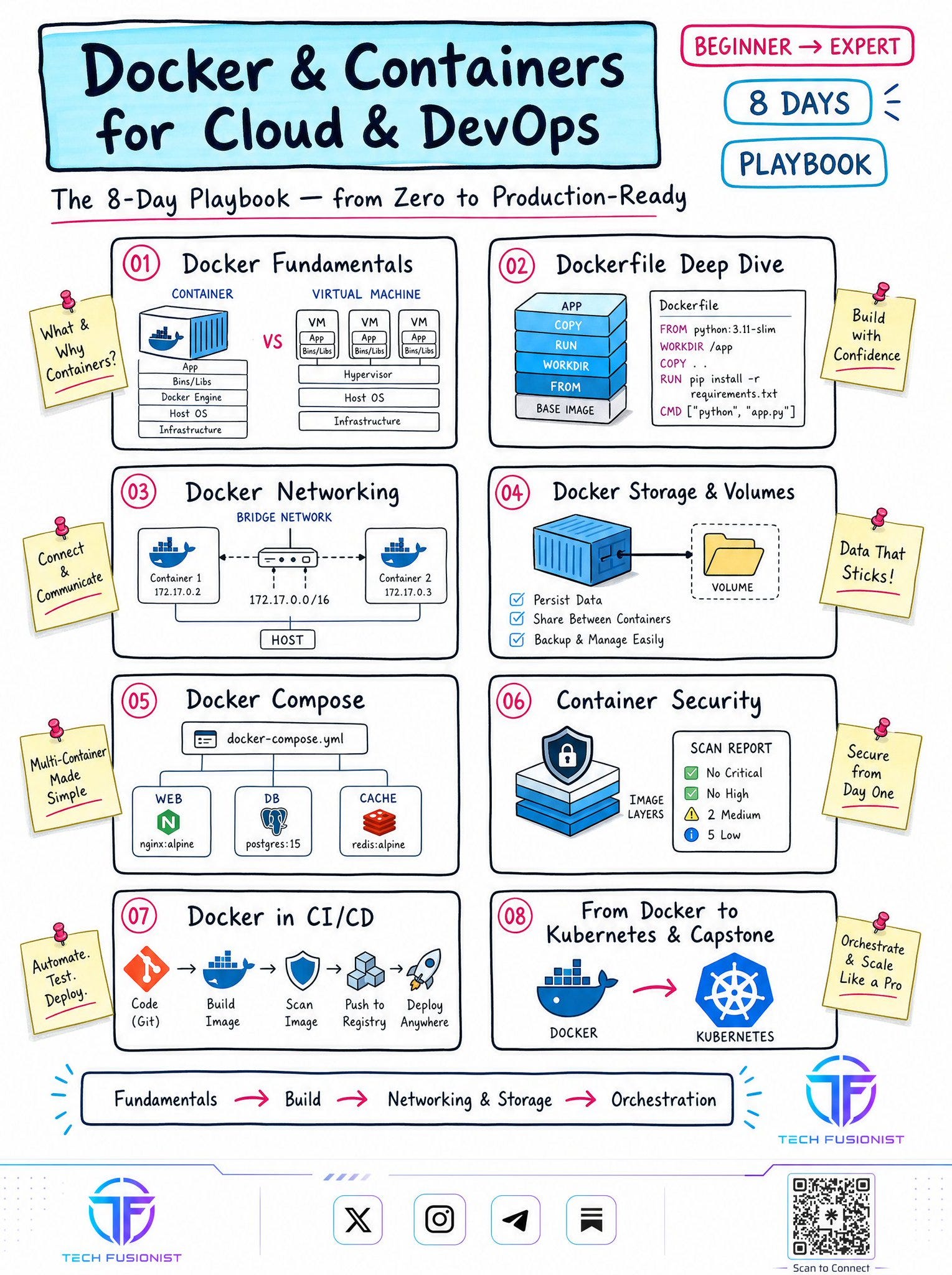
If you’re serious about Cloud, DevOps, or Platform Engineering, here’s the learning path I’d recommend
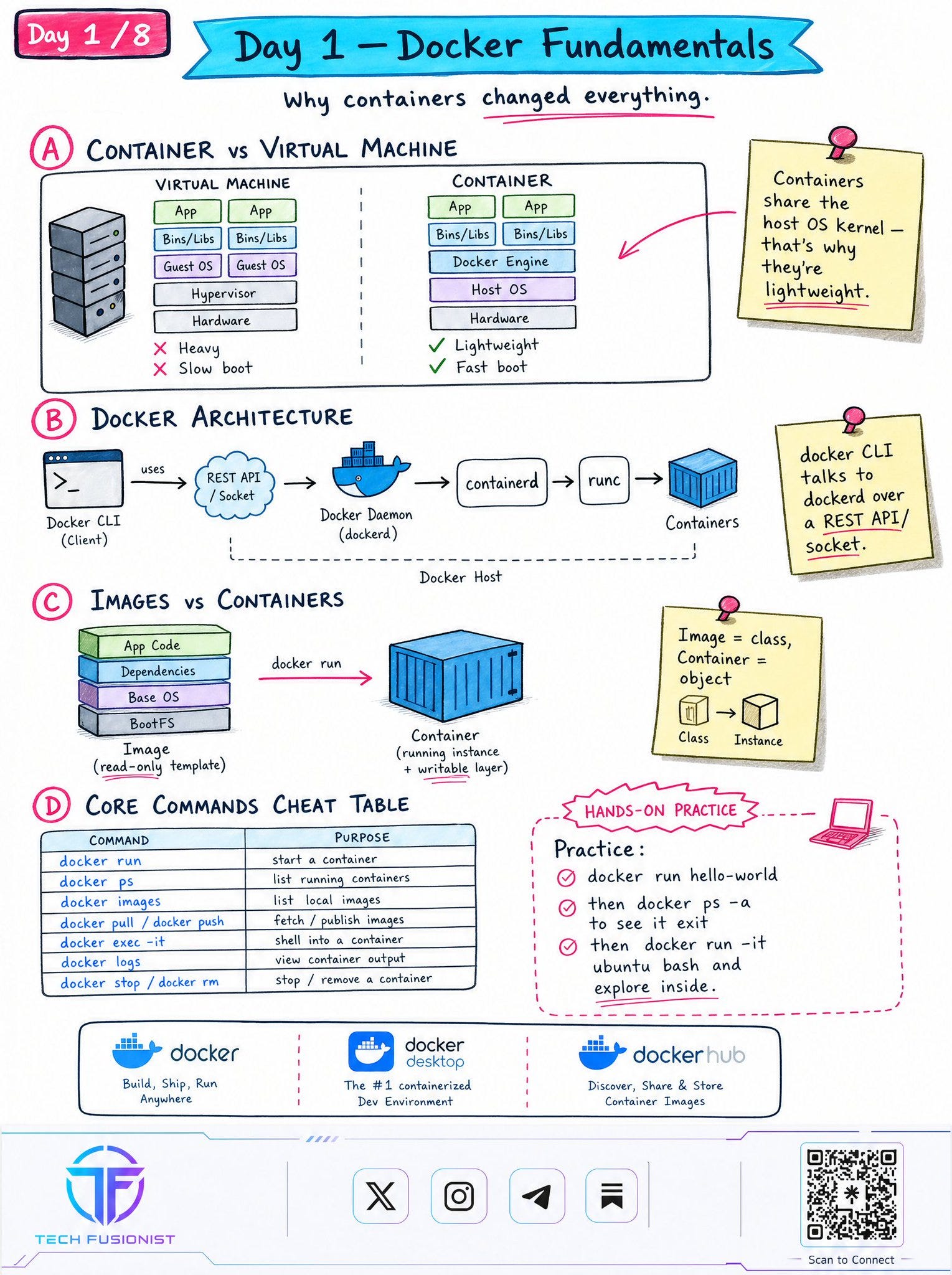
📘 Day 1 - Docker Fundamentals
Every advanced Docker concept starts here.
Before writing Dockerfiles or deploying applications, understand why containers exist.
You’ll learn:
• Containers vs Virtual Machines
• Docker Architecture
• Images vs Containers
• Essential Docker commands
One lesson that completely changed how I looked at Docker:
An image is a blueprint. A container is a running instance.
Once that clicks, everything else becomes easier.
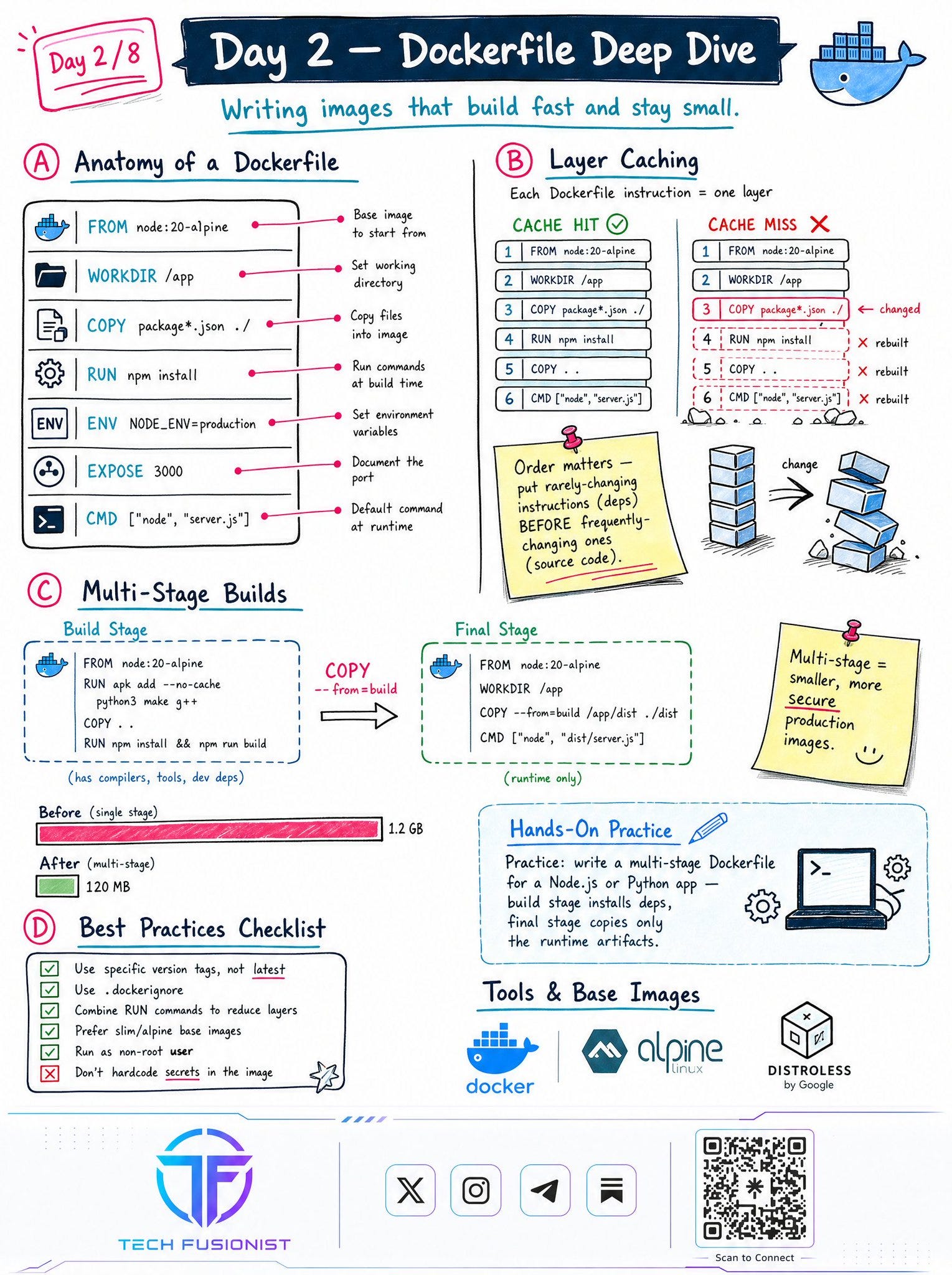
📘 Day 2 - Dockerfile Deep Dive
A Dockerfile isn’t just a build script.
It’s the recipe for how your application will be deployed everywhere.
Here you’ll learn:
• Dockerfile instructions
• Layer caching
• Multi-stage builds
• Production best practices
One thing I wish I had learned earlier:
The order of your Dockerfile matters more than most people realize.
A small optimization can save minutes on every CI build.
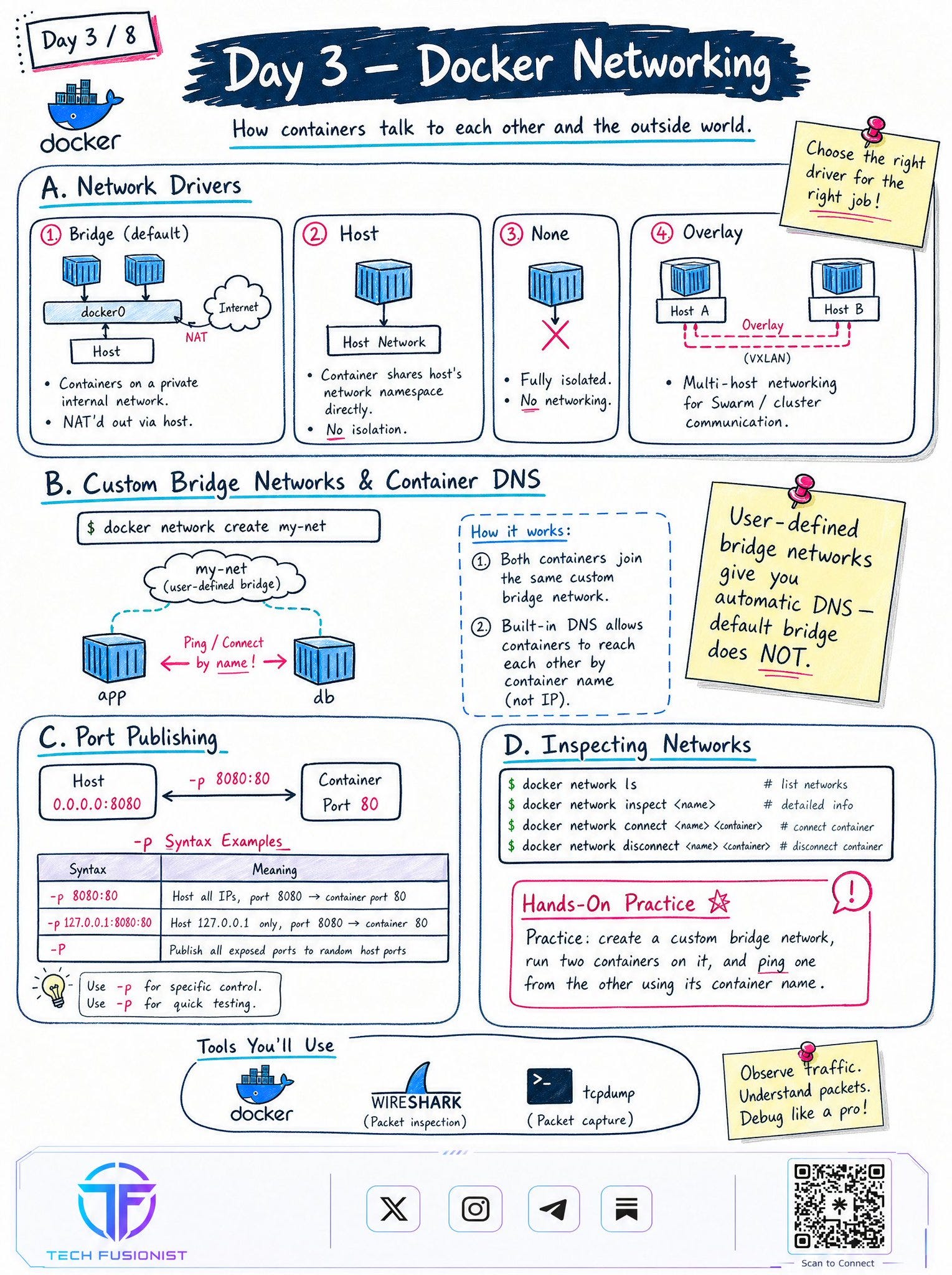
📘 Day 3 - Docker Networking
Most real-world applications don’t run alone.
They need to communicate with databases, APIs, caches, and other services.
This day covers:
• Bridge networks
• Host networking
• Overlay networking
• Container DNS
• Port publishing
One concept that surprises many beginners:
Containers can communicate using service names, not just IP addresses.
Understanding networking removes a huge amount of Docker confusion.
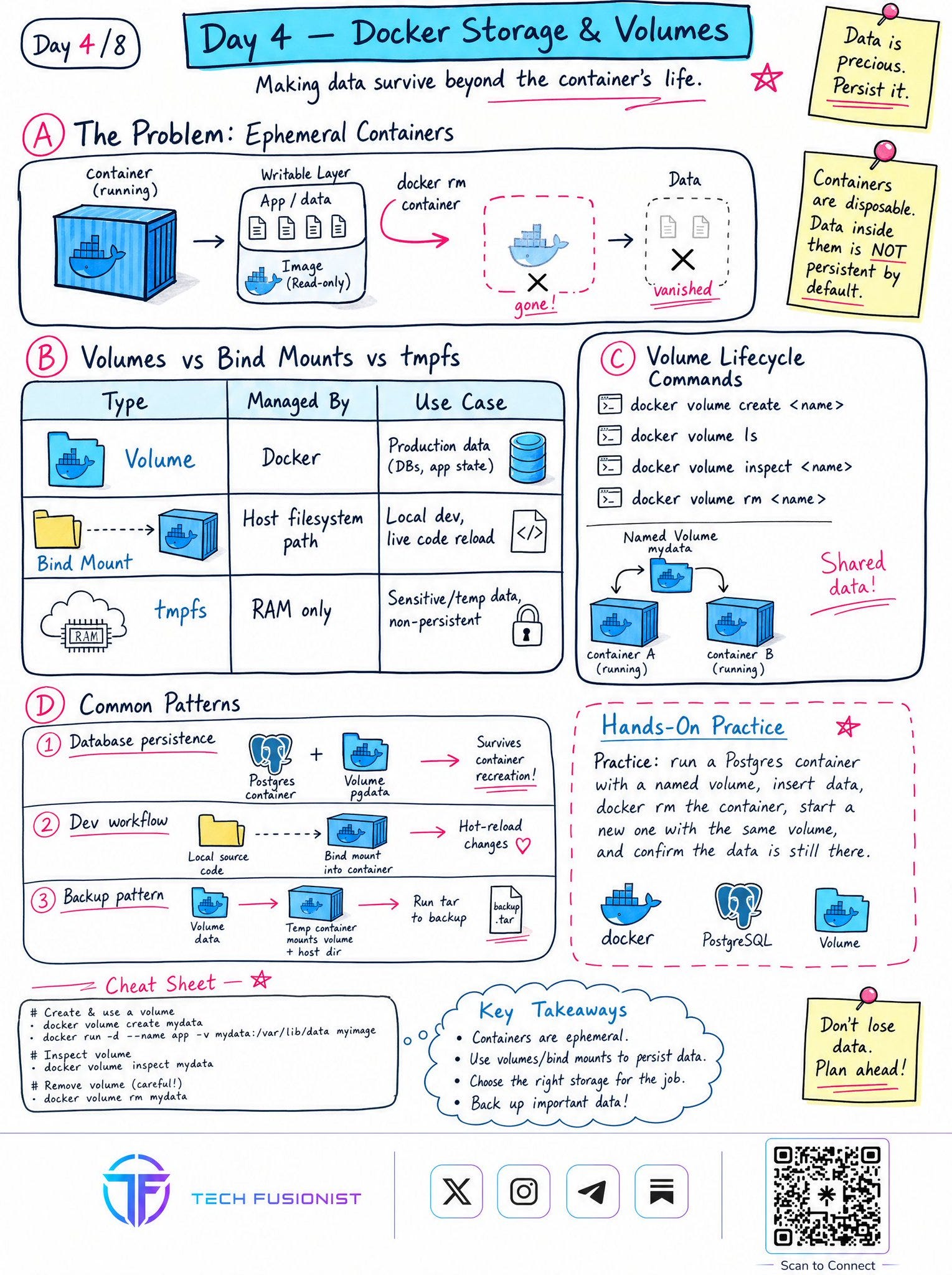
📘 Day 4 - Docker Storage & Volumes
One of the biggest beginner mistakes is assuming container data is permanent.
It isn’t.
Containers are temporary.
Your data shouldn’t be.
This section explains:
• Volumes
• Bind mounts
• tmpfs
• Backup strategies
• Persistent storage
If you’re building production systems, storage is just as important as compute.
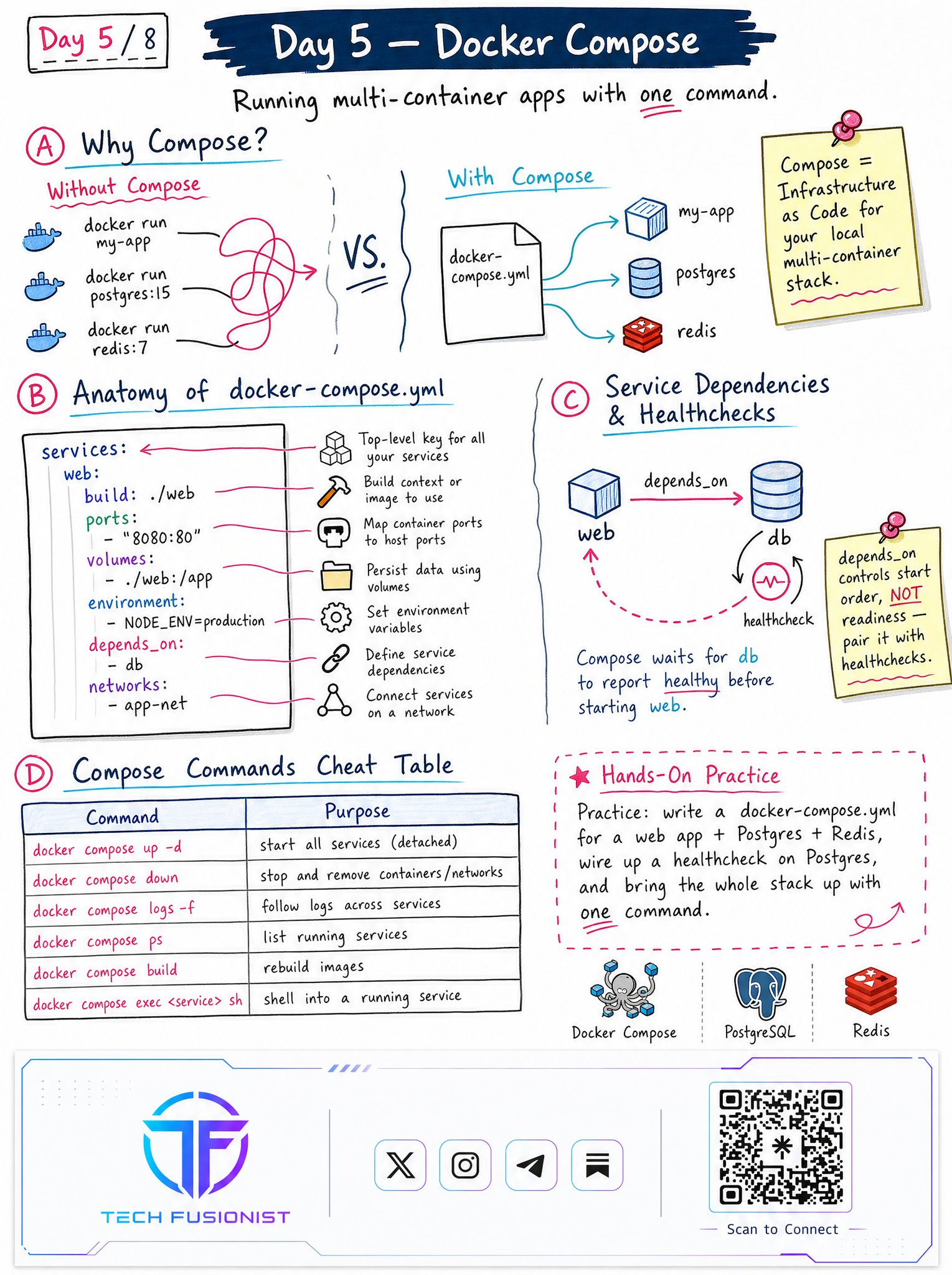
📘 Day 5 - Docker Compose
This is where Docker starts feeling like real application development.
Instead of launching containers one by one, you define your entire application in a single YAML file.
You’ll learn:
• docker-compose.yml
• Service dependencies
• Health checks
• Common Compose commands
Compose taught me an important lesson:
Infrastructure should be reproducible, not manually recreated.
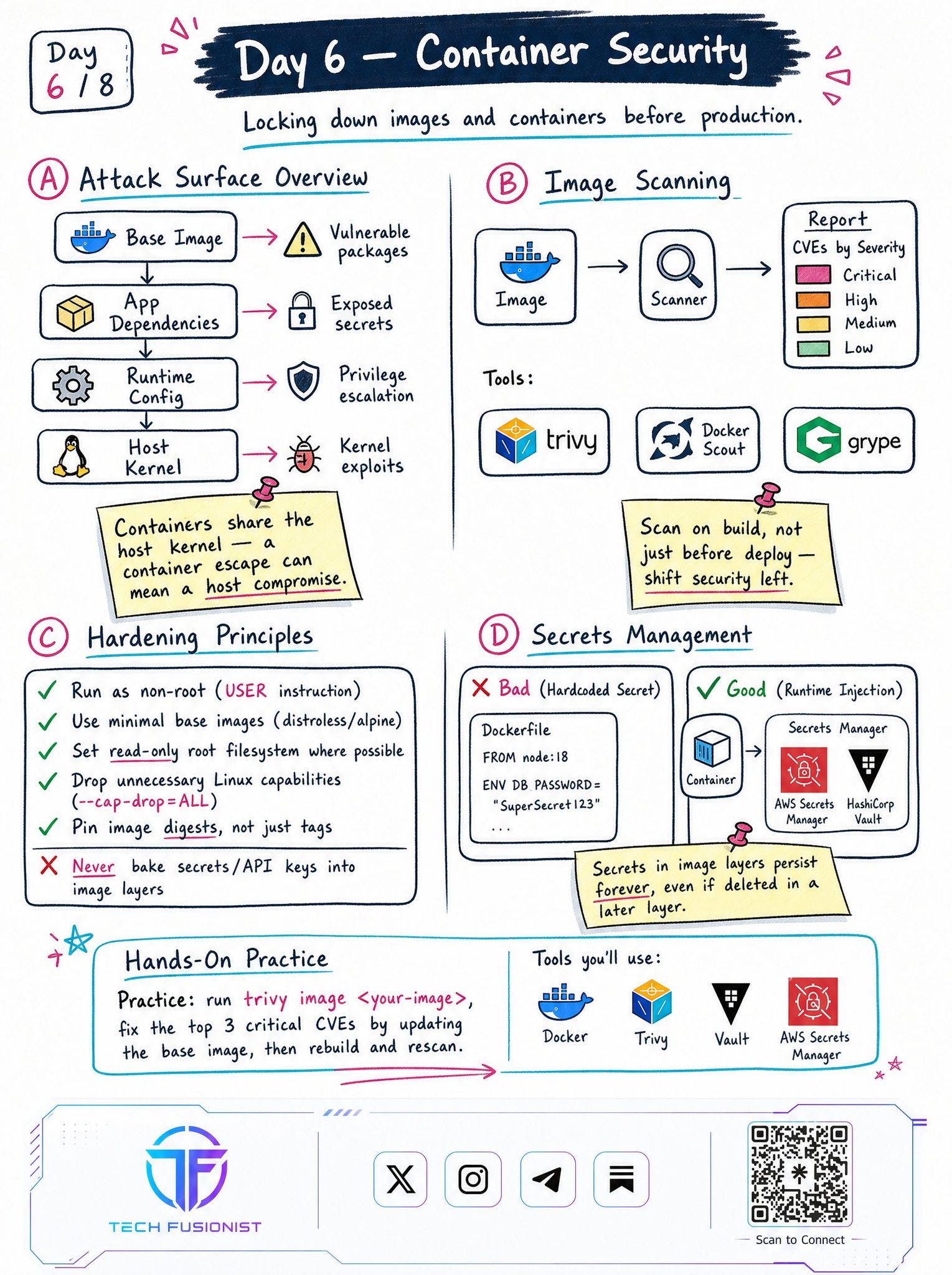
📘 Day 6 - Container Security
Security isn’t something you add before production.
It starts the moment you build an image.
This section covers:
• Image scanning
• Minimal base images
• Running as non-root
• Linux capabilities
• Secrets management
One production habit every engineer should build:
Scan every image before deploying it, not after.
Finding vulnerabilities early is always cheaper.
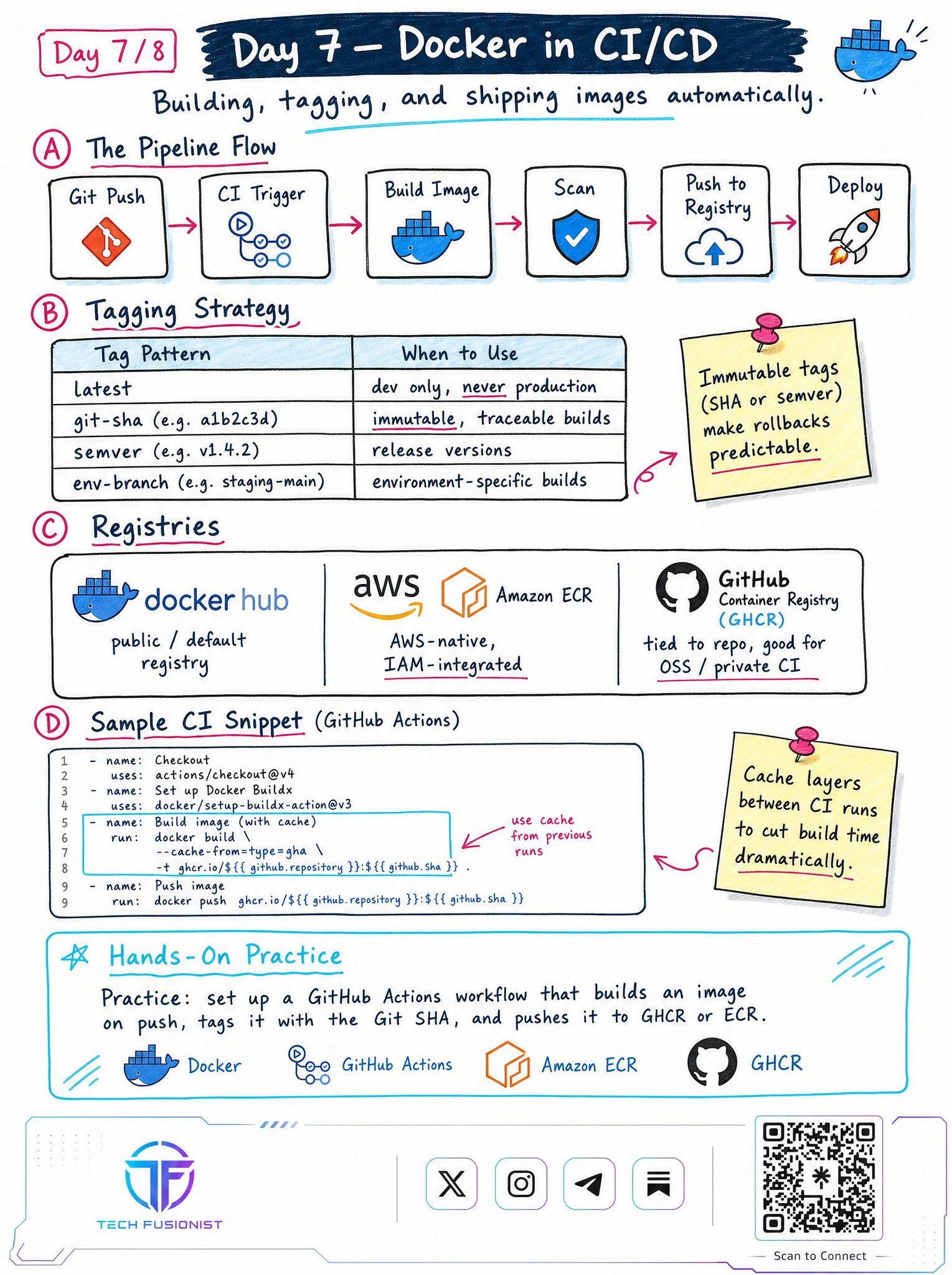
📘 Day 7 - Docker in CI/CD
Docker becomes far more powerful when machines build your images automatically.
You’ll learn:
• Automated image builds
• Tagging strategies
• Container registries
• GitHub Actions workflow
One habit I’ve adopted over the years:
Never rely on the latest tag in production.
Immutable version tags make deployments predictable and rollbacks much easier.
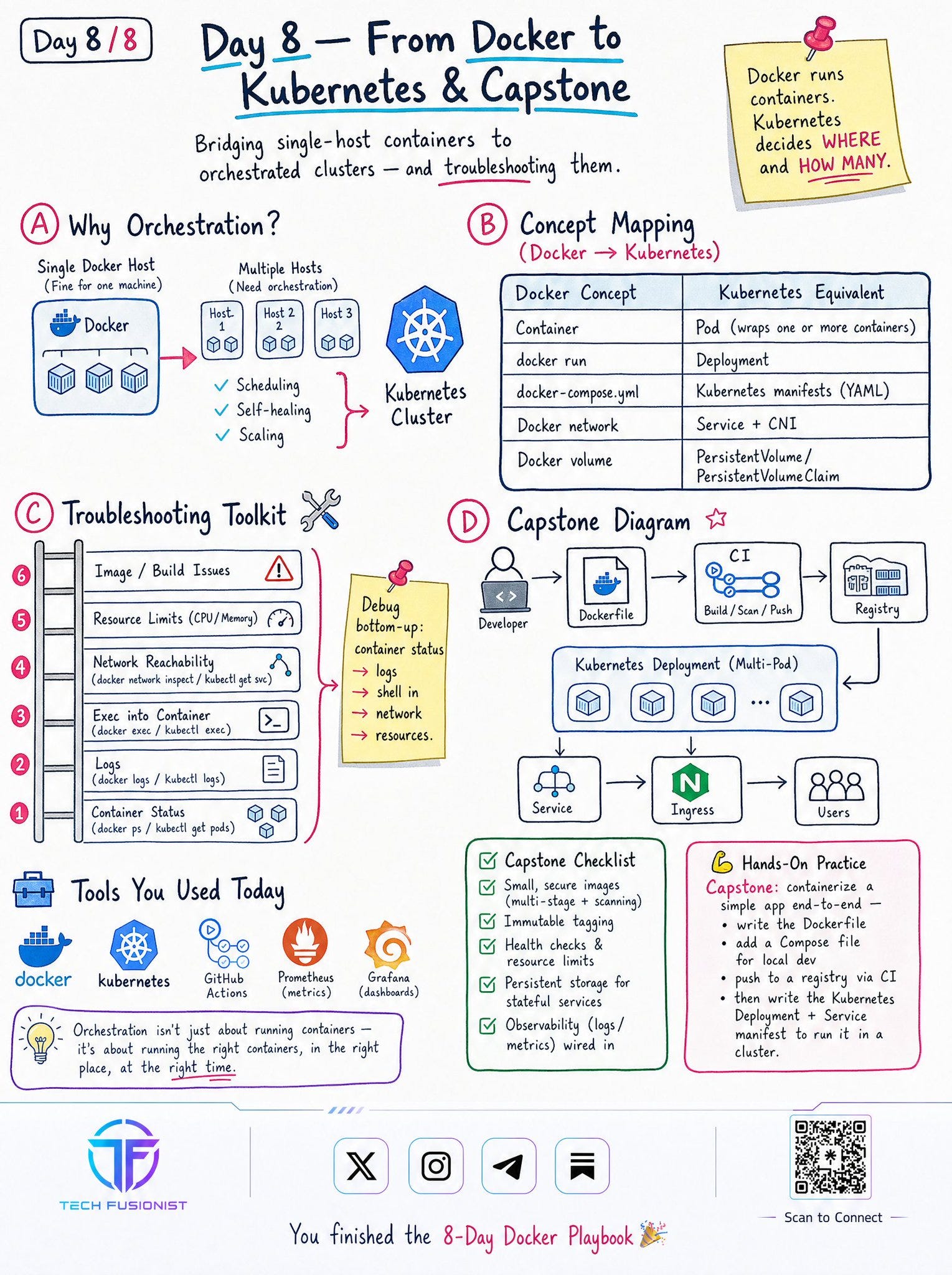
📘 Day 8 - From Docker to Kubernetes
Docker teaches you how to package applications.
Kubernetes teaches you how to run them reliably at scale.
This final section connects everything together:
• Docker → Kubernetes mapping
• Orchestration
• Troubleshooting
• Production deployment flow
By this point, you’re no longer learning Docker in isolation.
You’re learning the complete journey from local development to production deployment.
My Biggest Realization
The biggest shift in my learning wasn’t discovering another Docker command.
It was realizing that every production system follows the same journey:
Build → Network → Store → Secure → Automate → Orchestrate
Once I understood that flow, Docker stopped feeling like a collection of commands and started making sense as part of a complete DevOps ecosystem.
That’s the mindset I hope this playbook helps you build too.
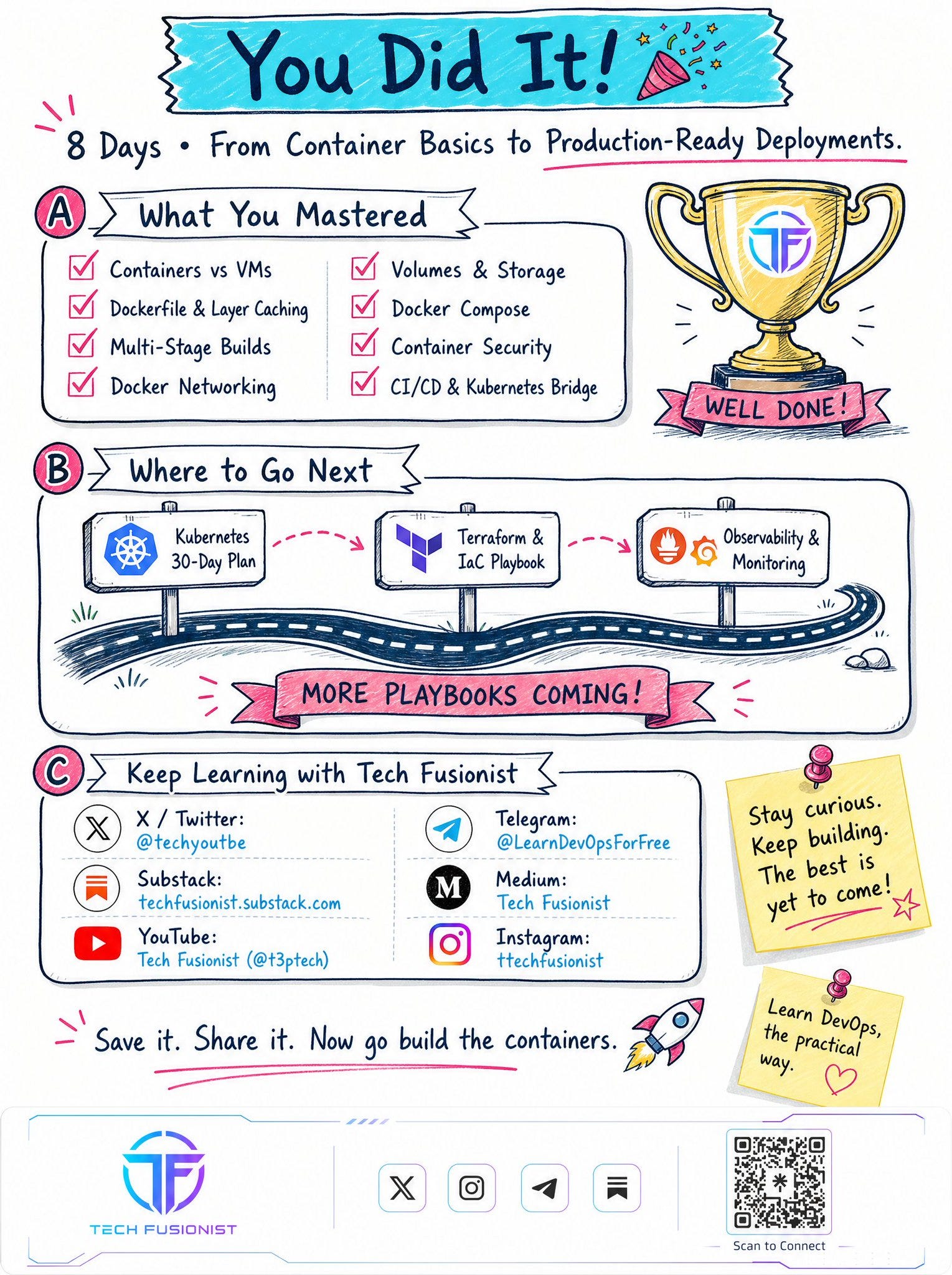
If you’re learning Docker today, don’t rush to Kubernetes.
Master the fundamentals first.
Everything else becomes much easier after that.
🚀 I’m releasing this entire Docker Visual Guide on Gumroad soon.
If you want to get it 100% FREE on launch day, subscribe now.
👉 https://t3pacademy.gumroad.com
Follow “Tech Fusionist” to get simplified & visual Tech Content!