
GitHub at Production Scale
A 6-Slide Visual Guide

GitHub looks simple when you’re working alone.
But when multiple engineers are shipping code to production, you need structure, automation, reviews, and reliable release processes.

This 6-slide guide breaks down the workflow from repository setup to production incidents.
0 — GitHub at Production Scale
The big picture:
This guide shows how a real engineering team can organize repositories, manage branches, review code, release changes, and handle production issues.
The flow:
Repo → Branch → PR → Merge → Release → Hotfix → Best Practices
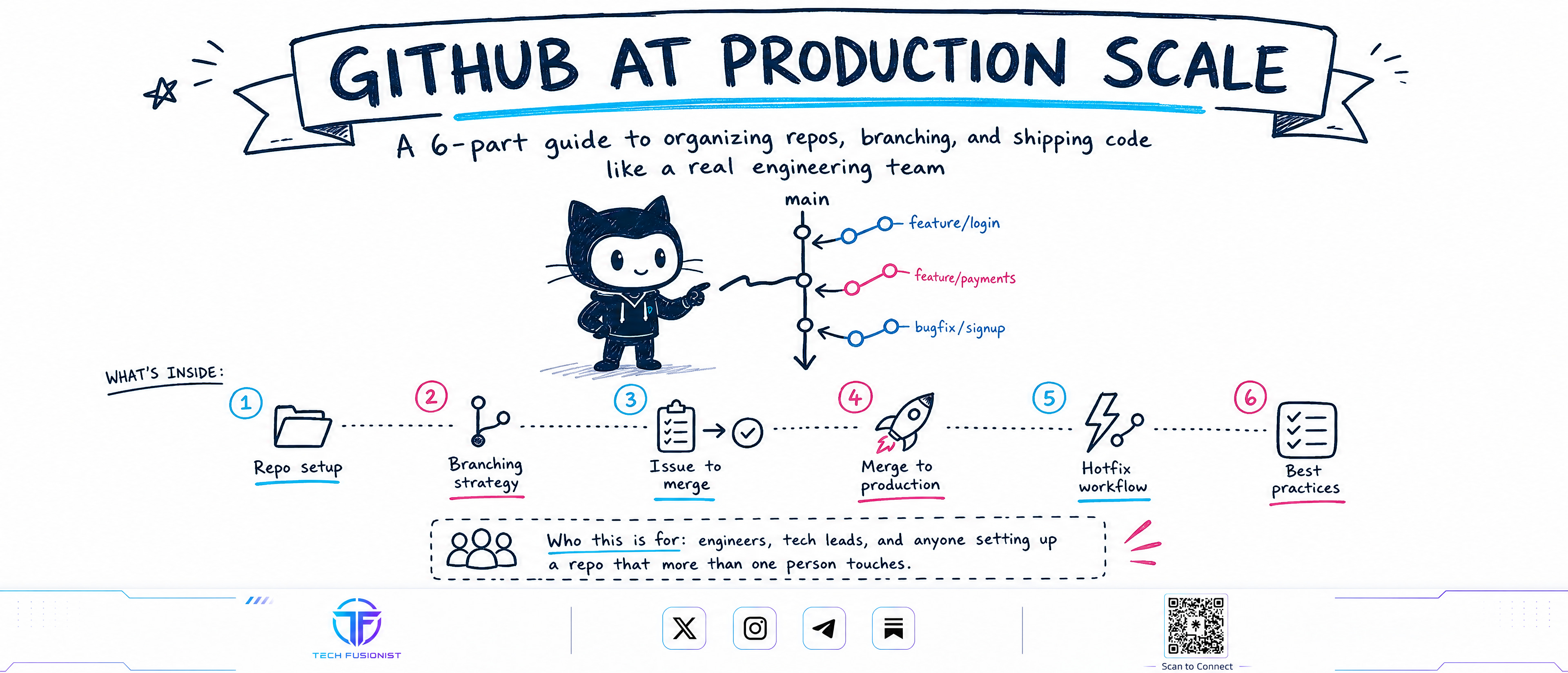
The goal is simple: ship code safely without creating unnecessary process overhead.
1 — Build a Governed GitHub Workflow
Simply pushing code to main doesn’t scale.
A production repository should have:
Clear folder structure
/src,/tests,/docsCI/CD workflows
CODEOWNERSIssue & PR templates
Protected
mainbranch
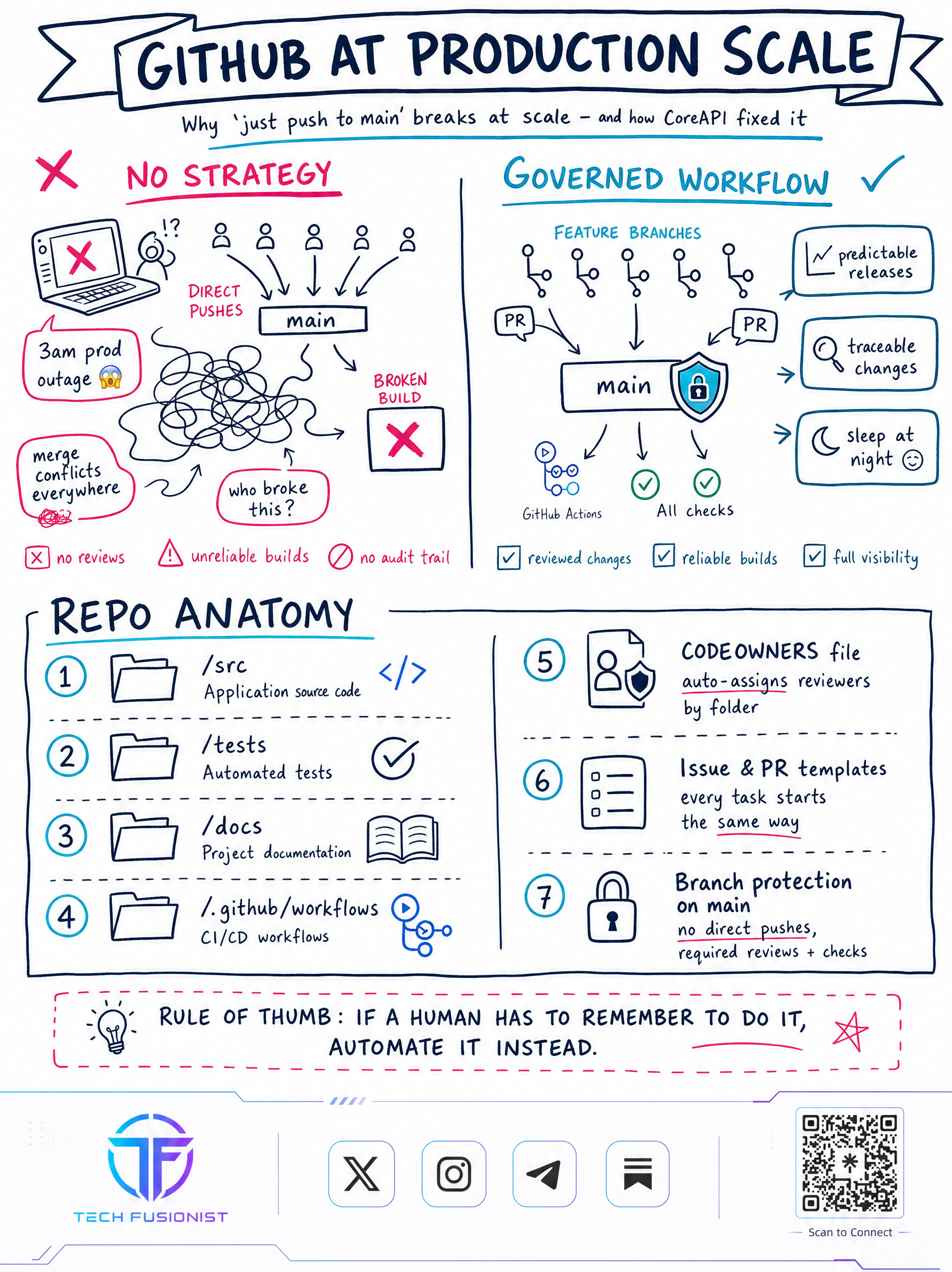
Instead of allowing direct pushes, changes should go through PRs, reviews, and automated checks.
Key idea:
Automate anything humans might forget to do.
2 — Pick the Right Branching Strategy
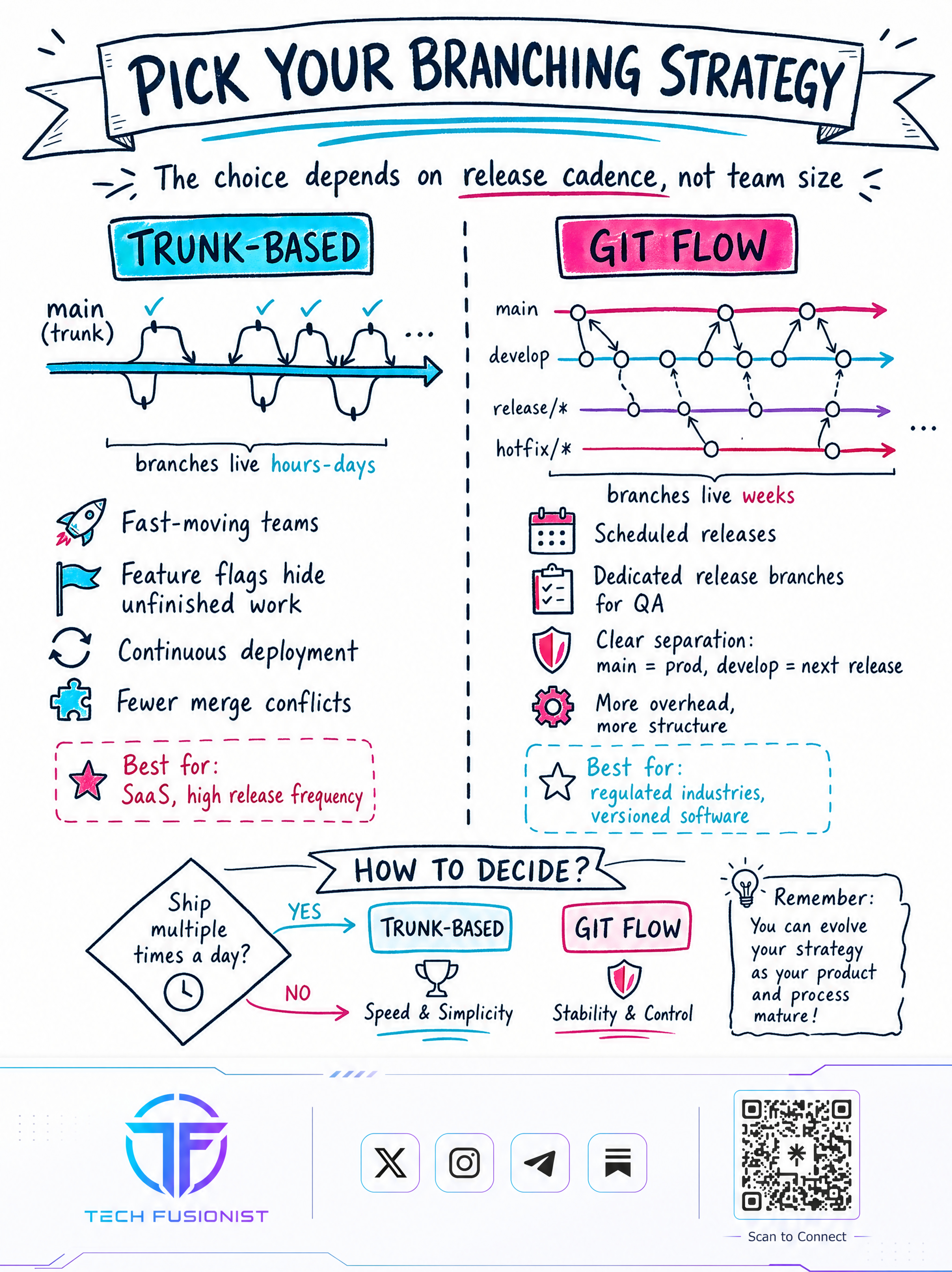
Your branching strategy should depend on release cadence, not simply team size.
Trunk-Based
Best for fast-moving teams and frequent releases.
Short-lived branches → frequent merges → continuous deployment
Git Flow
Better suited to scheduled releases and environments where more release separation is needed.
Main → Develop → Release → Hotfix
Simple rule:
Ship multiple times a day? Consider trunk-based.
Need more release control? Consider Git Flow.
3 — From Issue to Merge
A production change should follow a controlled path:
Issue → Feature Branch → Pull Request → Review → Merge
Start with a clearly defined issue.
Create a focused feature branch.
Open a PR early so the team has visibility.
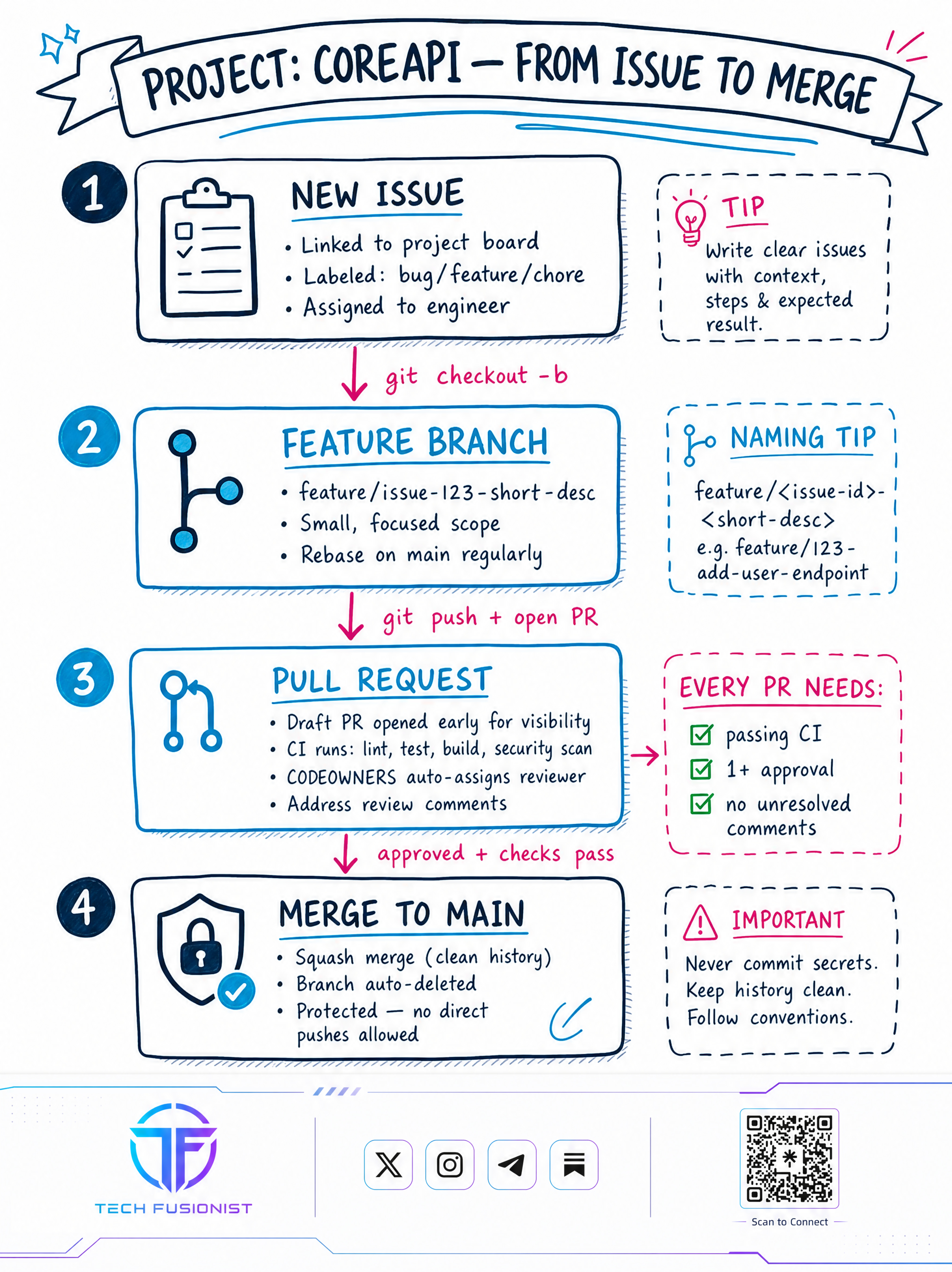
Then let CI checks and reviewers validate the change before it reaches main.
The goal: every change should be reviewed, tested, and traceable.
4 — From Merge to Production
Merging code isn’t the end of the workflow.
A production release can follow:
Merge → CI/CD → Staging → Tests → Version Tag → Production
The guide highlights:
Automated deployment
Staging validation
Semantic versioning
Production rollout
Monitoring
Rollback readiness
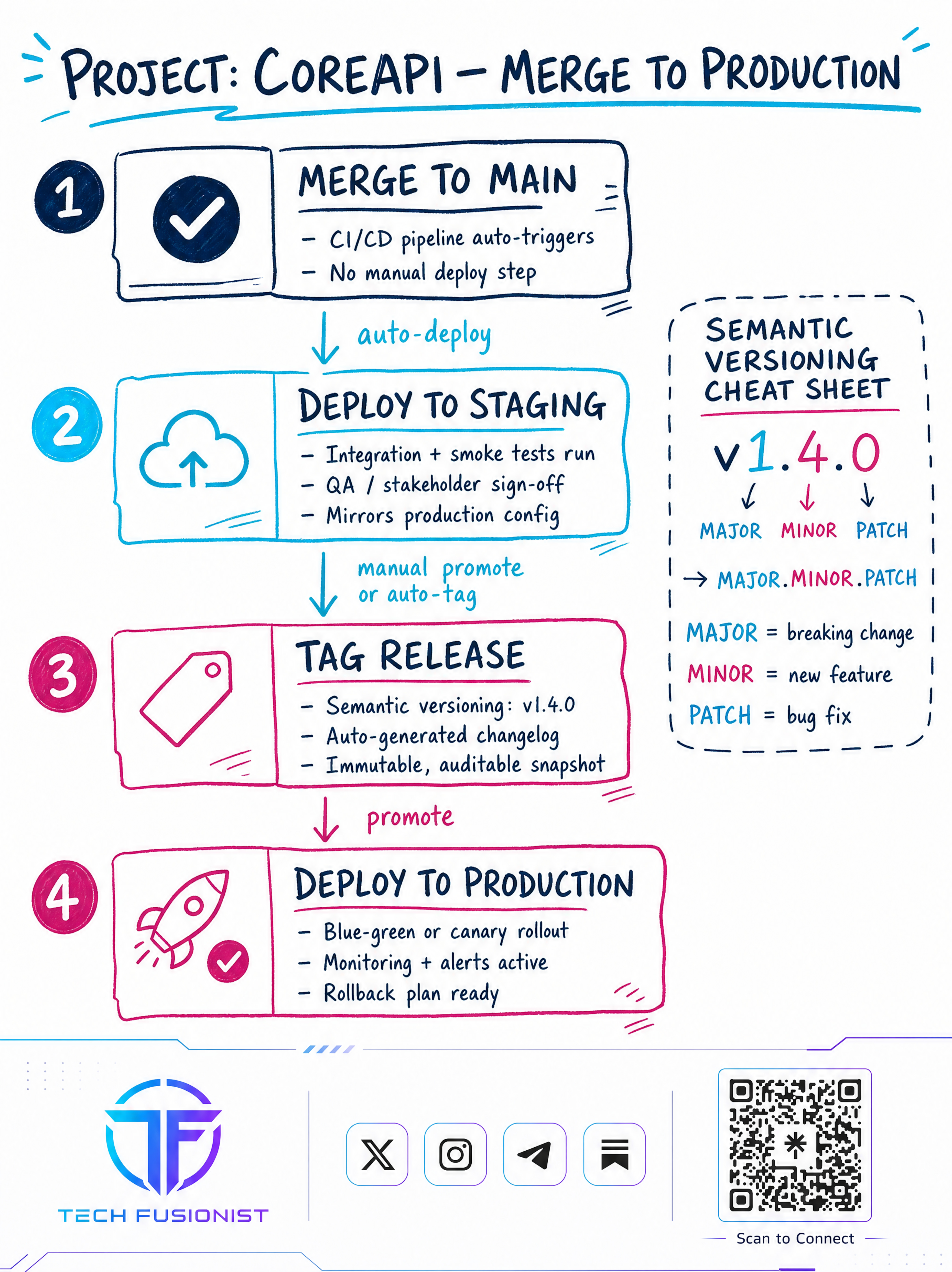
For example:
v1.4.0 → Major.Minor.Patch
This creates a clear and auditable release process.
5 — When Production Breaks
Production incidents require speed—but hotfixes shouldn’t mean bypassing quality controls.
The workflow:
Incident → Hotfix Branch → Minimal Fix → Fast-Tracked PR → CI → Merge → Deploy
After the fix, back-merge it into the relevant development/release branches.
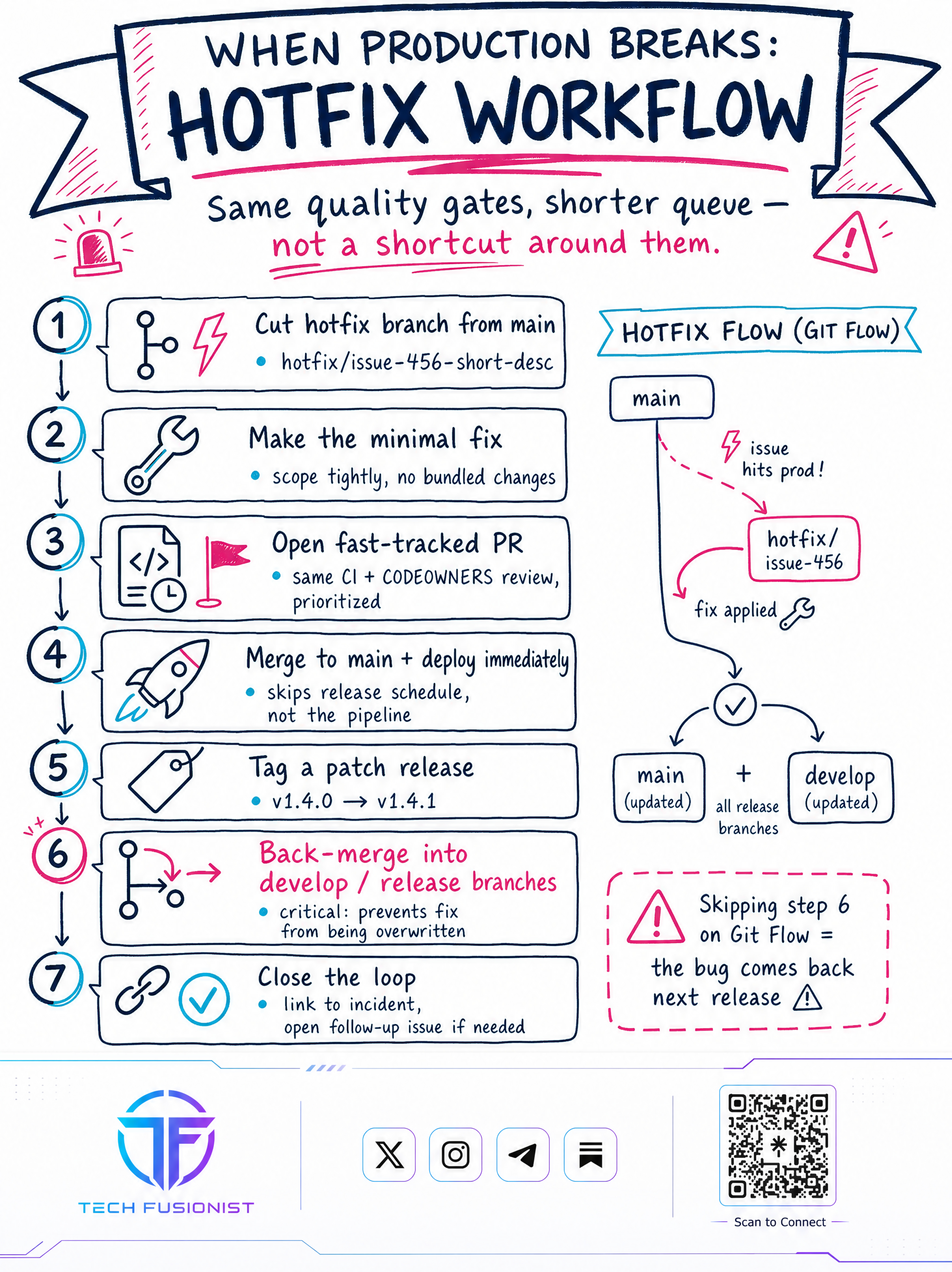
Why?
Because otherwise the same bug could return in the next release.
Fast doesn’t mean careless.
6 — Production-Ready GitHub Checklist
Before calling your repository production-ready, check four areas:
1. Repo Setup
CODEOWNERS + templates + branch protection + clean structure
2. Branching
Right strategy + short-lived branches + consistent naming
3. CI/CD
Tests + builds + security scans + automated deployments
4. Incident Readiness
Hotfix process + rollback plan + monitoring + back-merge
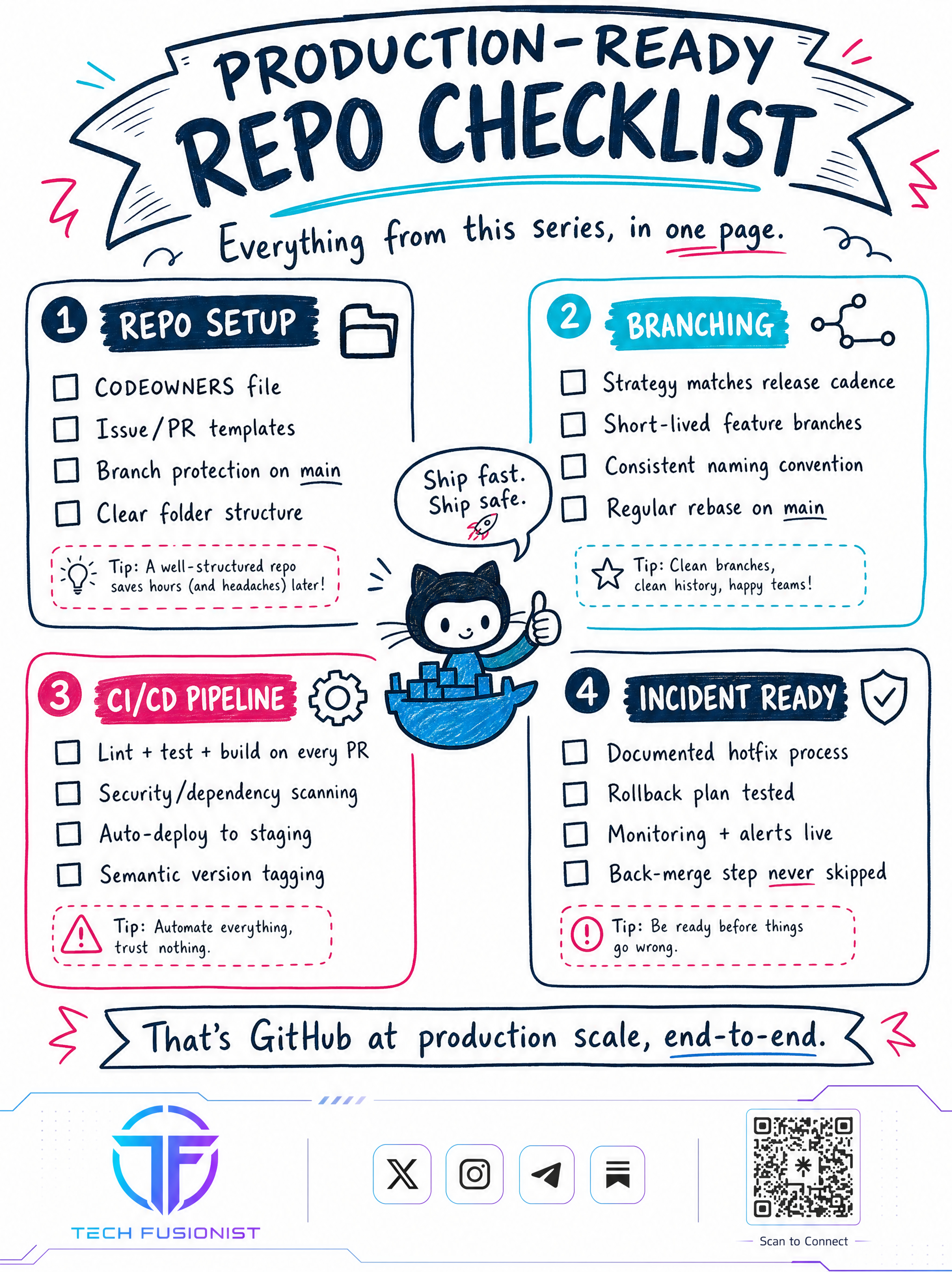
The end goal:
Ship fast. Ship safe. Stay ready.
The entire guide in one line:
Plan → Branch → Code → PR → Review → Test → Merge → Release → Deploy → Monitor → Improve.
That’s what GitHub at production scale looks like.
Found it helpful then, Like & share with your friend to through visualised content!
Follow, Tech Fusionist on other platforms for more quick simplified visual content related to DevOps, Cloud, Linux, Kubernetes, and AI content.
🔗 Linktree: https://linktr.ee/techfusionist
— Tech Fusionist